
Complete Guide to Naver Map for Korea Travelers 2026 (English/日本語/中文 Support)
Complete Guide to Naver Map for Korea Travelers 2026 (English/日本語/中文 Support)
You’ve probably opened Google Maps in Seoul, typed in a restaurant name, and hit a wall — wrong hours, missing reviews, or worse, the place doesn’t exist in the database at all. Here’s the thing: Google Maps isn’t broken. You’re just using the wrong app for Korea.
As of February 2026, the South Korean government finally approved high-precision map data export to Google — ending a 20-year restriction. But even with that change rolling out, local apps still dominate for one simple reason: they’re built from the ground up for how Korea actually works. Naver Map has ~30 million monthly active users in Korea. This isn’t a gap you close overnight.
This guide covers how to use Naver Map like a local for restaurants, cafes, and everyday navigation — with the real tips that most travel blogs skip. Language support: English, Japanese, Chinese (Simplified/Traditional), and Korean.

1. Why Naver Map Still Wins in 2026
Contrary to what most travel apps tell you, the issue isn’t that Google Maps is bad — it’s that Korean businesses register on Naver, not Google. Reviews, hours, menus, photos: the data lives on Naver. Here’s what that means in practice:
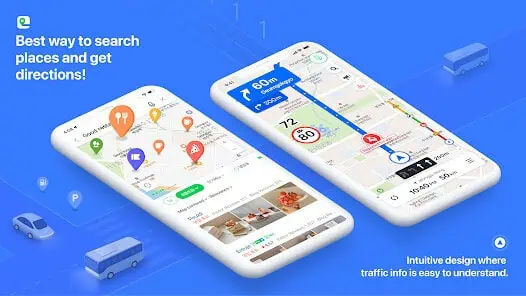
- Most used navigation app by locals, with full English/Japanese/Chinese support
- Massive database of restaurant, café, and tourist spot reviews with verified visit badges
- All reviews and menus automatically translated into your preferred language
- Spot-on recommendations powered by Naver’s local search data
- Detailed indoor maps of underground shopping centers & malls
- Perfectly optimized for Korea’s unique address system
Features that matter for travelers in 2026:
- Real-time public transit info in multiple languages
- Papago auto-translation for menus, reviews, and even signs!
- Verified user review system (no fake reviews!)
- Custom place filters (from ambiance to price range)
- 3D navigation for complex subway transfers
- Real-time crowding info for tourist spots
- Live restaurant waiting times
- Quick search for nearby toilets/convenience stores/ATMs
2. Installing & First Setup (Do This Before You Land)
📱 Install before you arrive — airport Wi-Fi is slow, and you’ll want this ready when you clear customs.
- Search for “Naver Map” in App Store/Google Play
- Download & install the app
- Sign in with a Naver account (optional)
- Download Naver Map
📌 Android Download
📌 iOS Download
- While not required, logging in lets you save favorites and write reviews!
🌏 Language Settings
The app detects your system language automatically. If it opens in Korean, go to Settings → Language. One thing most guides don’t mention: even in English mode, some place names and reviews will still show in Korean — that’s normal. The workaround is to copy Korean names from hotel websites or Instagram, then paste directly into search.


- Open the app and click ‘Settings’ at the top
- Choose your preferred language (English, Japanese, Chinese, or Korean)
- Activate auto-translation
- Now everything from reviews to menus will be displayed in your chosen language!
- Download offline maps to save data
- Set up favorite locations for quick access
- Enable subway/bus notifications
- Share your location with travel buddies in real-time
3. Finding Restaurants — How to Actually Use It
💡 The real workflow
Most people find restaurants on Instagram or TikTok first, then copy the Korean name and paste it into Naver Map search. That two-step process gives you far better results than searching in English directly.
How the search actually works:
Naver Map auto-translates most content in real-time. The quality is solid for menus and basic info — but for nuanced reviews, you’ll occasionally need to cross-reference. Here’s what each tab shows you:
- Search methods that work
- Nearby: Shows restaurants within walking distance, sortable by distance, rating, or trending. Useful when you’re already in an area and want to decide on the spot.
- Location + type search: Type ‘[landmark] + [food type]’ in Korean for best results (e.g., ‘경복궁 삼겹살’). English works too, but Korean returns more results. Use Google Translate to prep your searches before you land.
Reading a restaurant page:
- When you select a restaurant, you’ll be directed to the NAVER Place screen for detailed information.
- Basic information such as business hours, menu, prices, and parking details are all provided with real-time translation.
- Reviews and photos from local visitors are automatically translated, making it easy for international visitors to reference.
One thing worth knowing: visitor reviews (방문자 리뷰) are more reliable than blog reviews (블로그 리뷰). Blog reviews in Korea are often paid promotions — look for the receipt-verified badge to find genuine experiences.
📌To translate, please find this button.

🏠 Home

- Basic info (address, hours, social media links)
- Quick buttons for Call, Save, and Navigation
- One-click translation for all information
🍽️ Menu

For translation, click the Papago button located below the review.


- Complete menu & pricing details
- Auto-translation for each menu item
- Popular dishes highlighted by blogger reviews
- press papago button.
⭐ Reviews

- Two types: visitor reviews (real customers, more trustworthy) vs blog reviews (often paid — treat with skepticism)
- Filter by keywords — try ‘웨이팅’ (waiting time), ‘혼밥’ (solo dining), ‘주차’ (parking) for practical filters
- Receipt-verified badge = the review is from someone who actually paid there. Prioritize these.
📷 Photos

- Real food photos & interior/exterior shots
- Category filters for easy browsing
📍 Nearby

- Search ‘restaurant’ or ‘맛집’ for current location finds
- Area-specific searches (e.g., ‘Myeongdong restaurants’, ‘cafes near Gyeongbokgung’)
- Various filters available
- Look for ‘N Book’ mark for reservable spots
ℹ️ Info

- Facility & service details (Wi-Fi, reservation options)
- Parking information and nearby parking lots
- Official social media links
- Red ‘HOT’ marks = trending in the last 30 days. Useful for finding what’s genuinely popular right now, not just famous from 2 years ago.
- Always check the most recent reviews for actual closing days — Korean restaurants frequently take irregular days off that aren’t updated in the official hours.
- Sort reviews by ‘Recent’ not ‘Popular’ — you want to know if the place is still good now, not 18 months ago.
- Set ‘Crowding Alerts’ for peak hours
- Save places to a named list (e.g., ‘Itaewon Trip’) — much faster than bookmarking one by one. Share the list with travel companions.
- Use Naver for big restaurants, Catch Table app for smaller spots
- Check nearby amenities (toilets/ATMs/convenience stores)
- Save photos of locations in your language for easy showing to taxi drivers
- ‘Related Searches’ at the bottom of any place page often surfaces hidden gems in the same neighborhood — use it before you leave an area.
4. Using Naver Map for K-Beauty & Clinics
This is where Naver Map genuinely pulls ahead of every other app — and where most travel guides don’t even mention it. If you’re in Seoul for beauty treatments, skincare shopping, or clinic consultations, Naver Map is your primary research tool, not just your navigation tool.
How to search for clinics and beauty shops:
- Search ‘피부과’ (dermatology clinic) + neighborhood name (e.g., ‘강남 피부과’) — results include real patient reviews, price ranges listed by patients, and before/after photo references
- Search ‘올리브영’ for the nearest CJ Olive Young, or ‘화장품’ (cosmetics) for independent beauty shops — most include current promotions in the listing
- Look for the N Pay icon on clinic listings — means online booking is available directly through Naver without calling or using a third-party app
- Filter reviews by ‘외국인’ (foreigner) to find clinics where foreign patients have had positive experiences — this filter is underused and extremely useful
Naver clinic ratings can be inflated — some clinics run internal review campaigns. Cross-reference with visitor reviews only (filter out blog reviews), check the review dates, and look for mentions of specific procedures rather than generic praise. A clinic with 200 reviews all posted in the same month is a red flag.
For a deeper guide to finding and booking clinics as a foreigner in Seoul, see our Seoul Clinic Guide.
5. Navigation & Transportation — Quick Reference
For the full transportation guide — subways, buses, taxis, and real-time route planning — we’ve covered it in detail in the follow-up guide:
👉 Naver Map Korea: Complete Transportation Guide for International Travelers
The short version: Naver Map’s transit directions are the most reliable in Korea. Real-time subway arrival, bus tracking, transfer alerts, and walking directions from the exit — it handles the full journey, not just the destination.
Frequently Asked Questions
Related Guides: